Booknotes
Project Summary
Booknotes is a personal app that allows users to store and organize their favourite insights, inspiring quotes, and special 'Aha!' moments from books and podcasts. I personally designed and developed this app from scratch as a side project to improve my skills in app design and web development. My goal was to create a user-friendly platform to bring together and store all your literary insights from books and podcasts in one place.
using interactive prototypes
Keywords:
UI/UX Design
Wireframing
App Development
API
React Native
Expo
Google Firebase
Cross platform
Side project
Problem statement
From personal experience and conversations, I have identified that it can be frustrating for frequent book readers and podcast listeners to organize and recall their book notes and podcast notes. These notes are often scattered across multiple apps, notebooks, and post-it notes, making it challenging to remember the valuable insights drawn from the book or podcast.
While many podcast and book reading apps offer a note-taking feature, this function is limited to the books or podcasts offered by the app. Furthermore, these apps are often difficult to use, and often result in the loss of all notes when the monthly subscription is canceled. As a result, people lose and forget the insights, which diminishes the potential impact of the contents of the book or podcast on someone's life.

Imagined solution
To solve this problem, I wanted to create an app to bring together all a user's book and podcast notes in one place. Within this app, the user should create his personal shelf with the books and podcasts he reads/listens to. For each book/podcast on the shelf, the user can create notes to documents insights and quotes from the author.
I created wireframes for those screens that are needed for a suer to add a book to his personal shelf, create a note for it, and recollect the notes created for each created book.

First interactive design prototype
Using the wireframes as a guideline, I developed an interactive prototype in Figma to evaluate and validate the app concept. To identify areas for improvement in the app's usability and user experience, I went through the prototypes with three peers.
One area that caused confusion was the + button, as it opened different modals depending on the screen. Furthermore, people expressed they wanted more clarity and confirmation regarding the processes taking place while using the app. The meaning of and differentiation between the different note labels (insight, quote, Booknotes) was also unclear, and some people suggested making a distinction between quotes and paraphrases when using the 'quote' label.

App development
I used the feedback received on the initial design to improve the app's usability and user experience. I fully coded the app in React Native using Visual Studio Code and Expo, which allowed for efficient cross-platform development for both iOS and Android.
To enable user accounts and store notes in the cloud, I used Firebase Authentication and Firestore Cloud Storage. Additionally, I integrated the Spotify Web API to fetch podcast data, including details like the podcast, producer, and cover. Similarly, the Google Books API was used to retrieve book data, such as the author, title, and book cover. This feature enables users to easily add books or podcasts to their shelf by searching for them online.
The final result
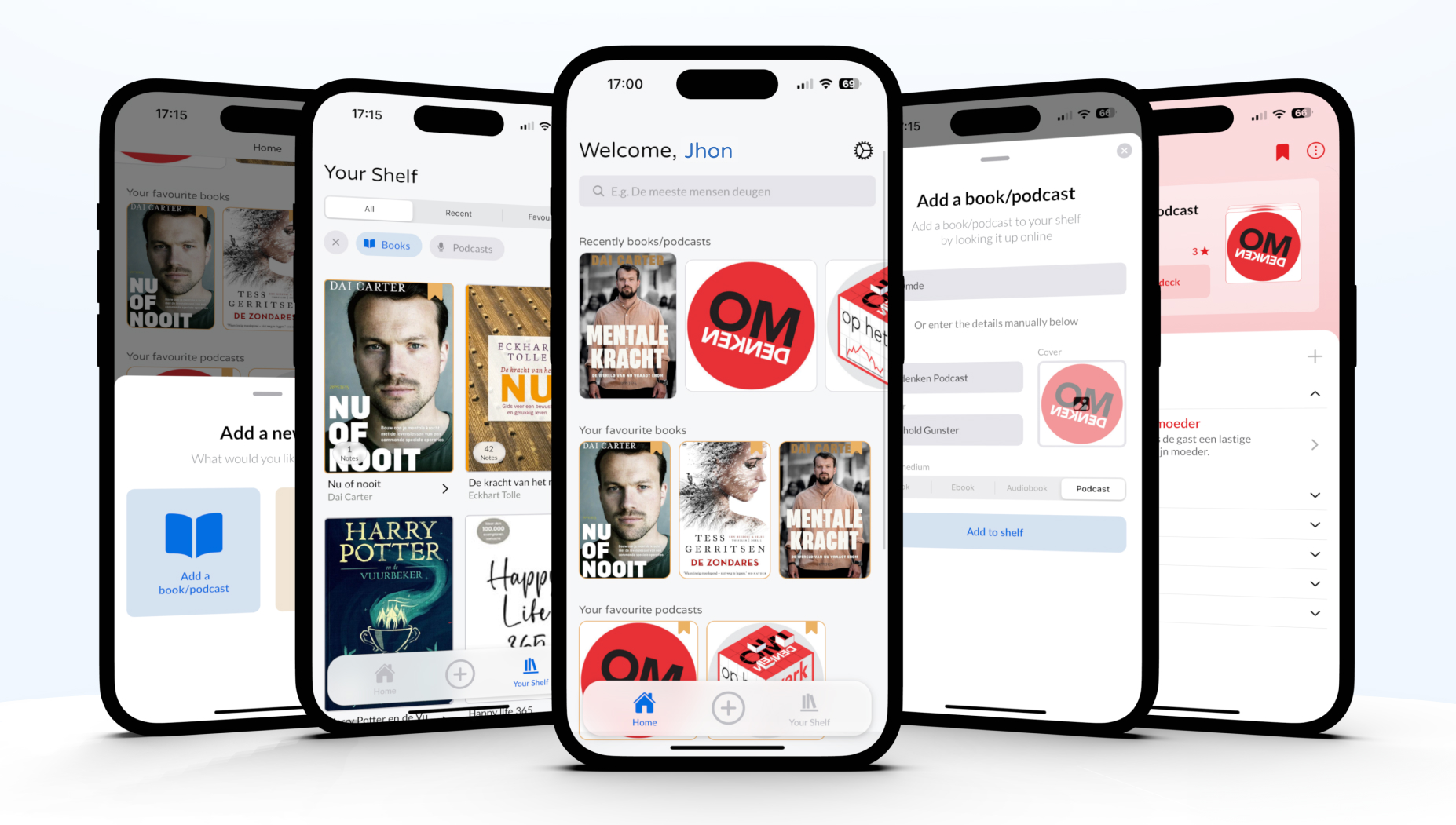
The final design of Booknotes is fully functional and designed to be easy to use. The app uses different modals to quickly add books/podcasts to the shelf, creating notes for them, and marking them as favourites. Users can register and log in with an email and password to create their personal bookshelf.
Additionally, the screens for each book and podcast feature a unique style based on the dominant colours automatically extracted from the cover image. Users can easily search for books and podcasts to add to their shelf, with the corresponding details fetched from the relevant APIs. Alternatively, users have the option to manually enter the details and choose a cover from their phone's photo library.


Try Booknotes yourself
Are you interested in trying out Booknotes? You can! Simply download the app from the Google Playstore via the link below.
 Coming soon!